.png)
Facial Animation Explained: From Actor Performance to a Production Ready Digital Face
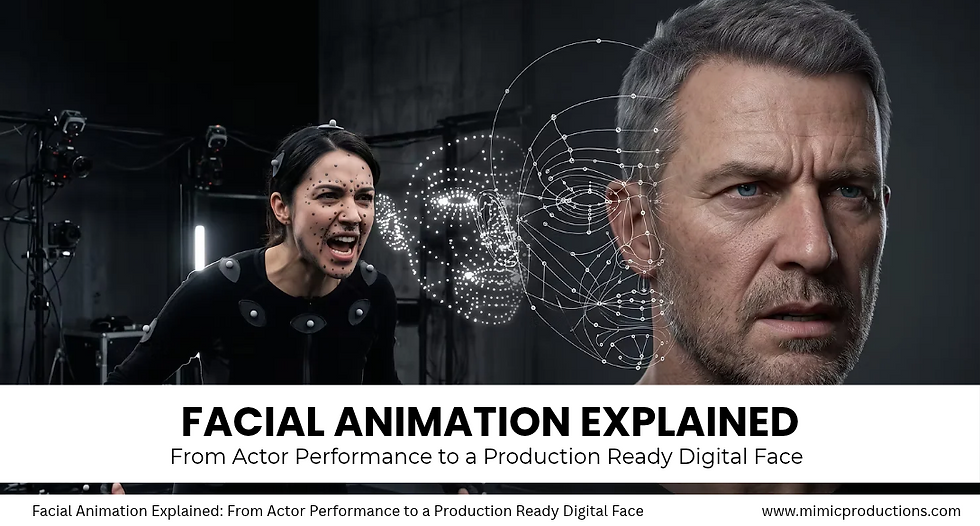
Facial animation is the process of turning facial movement, expression, speech, and emotion into a believable digital performance.
For a stylized game character, this might involve a controlled library of expressions and animator-created poses. For photoreal digital humans, the process becomes much more complex. Facial rigging, blendshapes, motion capture, solving, retargeting, eye animation, lip sync, skin deformation, and animator refinement all influence the final result.
The key point is that facial motion capture is not finished animation. Capture records information from a performer. That information still has to be interpreted and transferred to a digital character whose anatomy, proportions, topology, and rig may differ from the actor.
At Mimic Productions, facial animation is treated as part of the complete digital human production pipeline, from character creation and performance capture to animation and real-time integration.
Table of Contents
What Is Facial Animation?

Facial animation creates controlled movement in the face of a digital character.
The animation can come from several sources:
Keyframe animation
Blendshapes
Facial motion capture
Marker-based tracking
Markerless facial tracking
Audio-driven lip sync
Procedural animation
AI-assisted facial animation
Professional productions often combine several of these techniques.
Whatever method is used, the goal is the same: the face needs to communicate believable intention.
A mouth opening at the correct moment is not enough. The cheeks, jaw, eyebrows, eyes, eyelids, lips, and surrounding facial tissue have to support the same expression.
This is especially important for digital humans. People are extremely familiar with human faces, so even small problems with eye movement, lip deformation, timing, or facial symmetry can make a character feel unnatural.
A strong result therefore starts before animation begins. High-quality 3D character creation provides the topology, facial proportions, textures, and structure required for convincing deformation.
Why Facial Animation Is Difficult

Human facial movement is highly interconnected.
A smile, for example, does not involve only the mouth. The cheeks may rise, the lower eyelids may move, the jaw may shift, and the eyes may change slightly.
Timing also matters. A subtle delay between the movement of the mouth and eyes can completely change how an expression feels.
Facial animation often needs to preserve:
Expression timing
Facial asymmetry
Speech articulation
Jaw movement
Eye direction
Blinking
Eyelid movement
Cheek deformation
Skin compression
Emotional continuity
Perfect symmetry can actually make digital characters look less believable. Real faces rarely move identically on both sides.
The facial system therefore needs enough flexibility to reproduce subtle, uneven, and overlapping movements.
FACS and Facial Expression

The Facial Action Coding System, or FACS, is frequently used when analysing facial movement.
Instead of describing expressions only as happy, angry, surprised, or sad, FACS breaks visible facial behaviour into smaller actions associated with different areas of the face.
These can include movements such as:
Brow raising
Brow lowering
Cheek raising
Lip corner movement
Lip tightening
Jaw opening
Nose movement
Eye squinting
For digital character production, this provides a structured way to build and analyse expressions.
A production does not necessarily need to reproduce every FACS action unit literally. A cinematic digital double may require a dense expression library, while an interactive avatar may use a more efficient control set.
The value of FACS is that facial movement becomes easier to understand, rig, solve, retarget, and refine.
Blendshapes and Expression Libraries

Blendshapes are one of the most common tools used in facial animation.
A blendshape stores a specific deformation of a character's mesh. The neutral face acts as the starting point, while additional shapes represent individual facial movements.
Examples include:
Brow raise
Squint
Smile
Lip stretch
Lip compression
Mouth opening
Jaw movement
Speech-related mouth shapes
Multiple blendshapes can be mixed together to create complex expressions.
The challenge is that facial shapes do not always combine perfectly.
A smile and squint may each look correct independently, but combining them can cause volume loss, unnatural stretching, or intersections. Corrective shapes are often added to fix these combinations.
A useful facial expression library is therefore not simply a large collection of poses. It is a deformation system designed around how different expressions interact.
Facial Rigging

Facial rigging creates the control system used to animate the character.
A facial rig may combine:
Blendshapes
Joints
Constraints
Corrective shapes
Procedural controls
Pose-space deformation
Custom animator controls
The goal is not to create the largest possible number of controls. The goal is to give animators meaningful control over the character.
For photoreal digital humans, facial rigs also need to preserve volume.
Lips require thickness. Cheeks need mass. Eyelids have to move naturally over the eyeball. Jaw movement should affect the surrounding tissue.
Mimic's body and facial rigging pipeline connects the quality of the character model with the deformation system required for performance.
Rig design should also match the final platform.
A cinematic character rendered offline can support a heavier facial system. A real-time character for games or XR needs to balance deformation quality with memory, frame rate, shader complexity, and runtime performance.
Facial Motion Capture
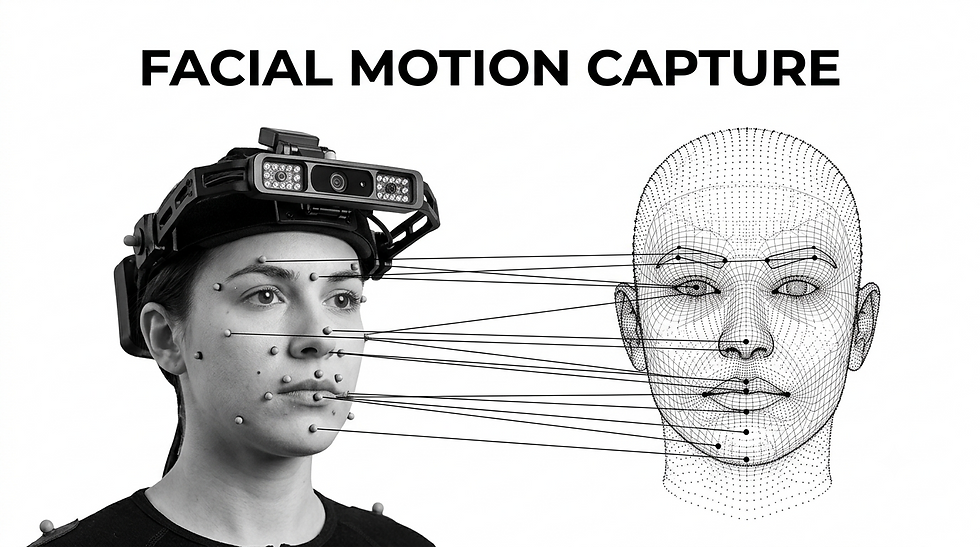
Facial motion capture records an actor's facial performance so it can be reconstructed on a digital character.
Several approaches can be used.
A head-mounted camera can record the performer's face while body motion is captured. Multi-camera systems can provide more complete coverage. Marker-based systems track reference points placed on the face, while markerless systems estimate facial movement directly from video.
The correct setup depends on the final application.
A real-time avatar needs low latency and stable facial solving. A cinematic digital double may prioritize maximum fidelity and allow extensive processing after the performance has been recorded.
Mimic's facial motion capture studio connects actor performance with the downstream character pipeline.
Calibration is also important. Before recording the main performance, actors may complete a set of expressions that establishes neutral position, facial range, jaw movement, eye closure, lip movement, asymmetry, and speech articulation.
This gives the production a clearer reference for how the performer's face moves.
Solving Facial Capture Data
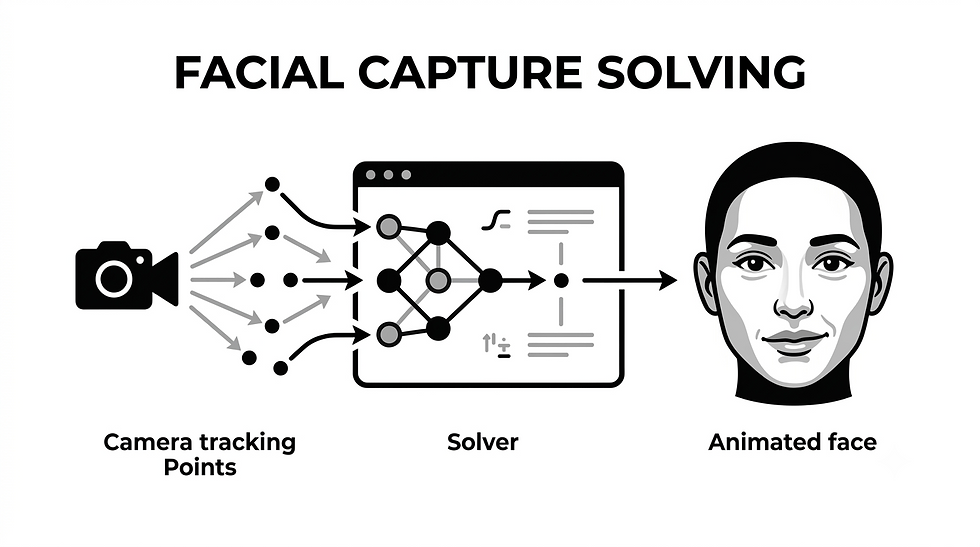
Recorded footage cannot normally drive a production facial rig directly.
The data first needs to be solved.
A facial solver interprets tracking information and converts it into facial movements that the character rig understands.
Depending on the system, it may analyse:
Facial landmarks
Tracking markers
Image features
Expression coefficients
Depth information
Surface geometry
A strong facial solve preserves both movement and timing.
For example, if one side of an actor's mouth moves slightly before the other, automatically averaging the movement into a perfectly symmetrical expression may remove part of the original performance.
Noise also needs to be controlled. Small tracking fluctuations can make a digital face appear unstable if transferred directly to the character.
The goal is not to reproduce every numerical change in the capture data. It is to preserve meaningful performance information.
Retargeting Facial Animation

Once the performance has been solved, it needs to be transferred to the target character. This process is known as retargeting.
Retargeting is more complex than copying animation values between two faces.
The actor may have a narrow mouth while the character has a wider one. Eye size, jaw length, cheek volume, or overall facial proportions may also differ.
Directly transferring the same values can produce unnatural results.
Retargeting therefore aims to preserve the intention and timing of the actor's performance while adapting it to the anatomy and design of the digital character.
For a digital double, the relationship can be relatively close because the character is based on the performer.
For stylized characters or creatures, some expressions may need to be strengthened, reduced, or redesigned so they read correctly on the character.
The same principle applies to a wider motion capture pipeline: captured movement is source material, not automatically finished animation.
Animator Cleanup and Refinement
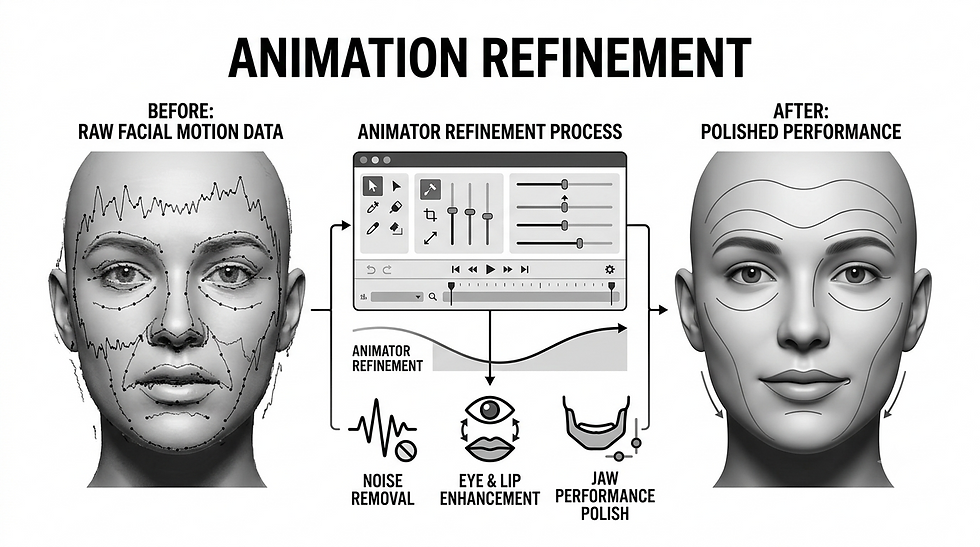
Even high-quality facial capture usually benefits from animator refinement.
Animators may adjust:
Expression intensity
Lip contacts
Jaw movement
Eye direction
Eyelid position
Brow timing
Facial asymmetry
Transitions
Speech readability
Some captured movements may need to be strengthened because they appear too subtle on the target character. Noise may need to be reduced. Missing movement may need to be reconstructed.
The objective is to preserve the actor's intention while making the performance work correctly on the character.
Facial motion capture and keyframe animation are therefore complementary techniques rather than competing ones.
Eye Animation and Gaze

The eyes are one of the most sensitive areas of digital human animation.
A detailed face can still appear lifeless if the gaze feels wrong.
Convincing eye animation needs to consider:
Eye direction
Blink timing
Eyelid movement
Eye and head coordination
Focus targets
Saccades
Emotional state
Eyelids should also respond to the direction of the eyes. If the eyeballs rotate while the eyelids remain static, the face can appear mechanical.
Blinking should not simply operate on a random timer. In real performances, blinking relates to attention, speech, gaze changes, and emotional state.
For conversational digital humans, these behaviours may need to be generated dynamically while the character interacts with a user.
Wrinkles and Skin Deformation
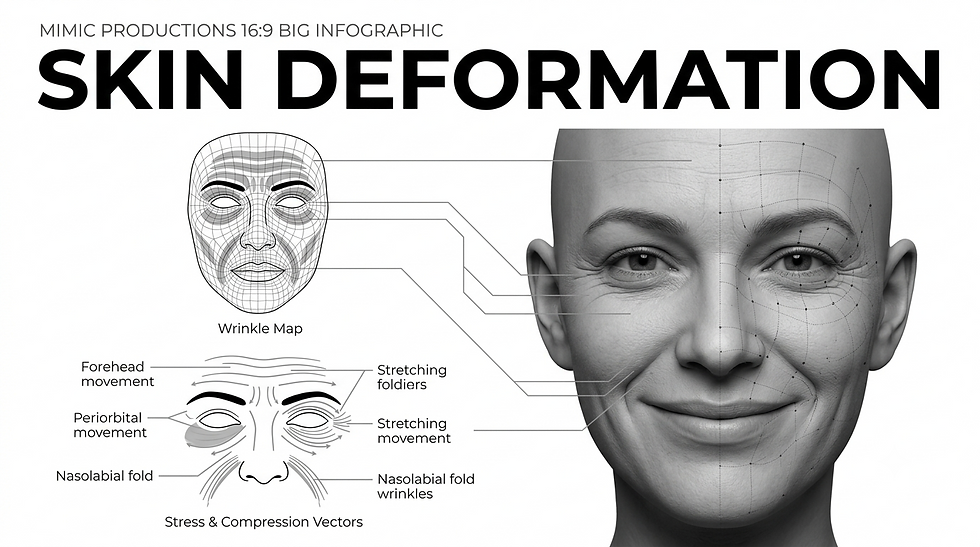
Large expressions communicate emotion, but smaller skin changes help create physical credibility.
When the face moves, skin stretches, compresses, and folds.
Dynamic wrinkle systems can be connected to facial controls so that wrinkle details appear as expressions become stronger.
These effects can use:
Geometry
Displacement
Normal maps
Shader masks
Corrective shapes
Texture blending
The implementation depends on the production platform.
Cinematic characters may use detailed displacement and geometry, while real-time characters often rely on optimized normal maps, masks, and selected corrective shapes.
More wrinkles do not automatically mean greater realism. The details need to appear in the correct regions and respond naturally to the expression.
Lip Sync and Speech Animation

Speech is one of the clearest tests of facial animation quality.
A basic lip-sync system can map phonemes to predefined mouth shapes or visemes.
But believable speech involves more than changing between mouth poses.
The mouth begins preparing for upcoming sounds before the previous sound has fully finished. This overlapping behaviour, called coarticulation, helps speech look continuous.
Emotion also affects articulation.
An angry line may involve stronger jaw movement and tension. Quiet speech may require smaller movements. Excitement can involve stronger facial and eye expression.
For conversational AI characters, speech, lip sync, gaze, blinking, expression, and body motion may all need to operate together in real time.
Facial Animation for Film, Games, XR and AI Avatars
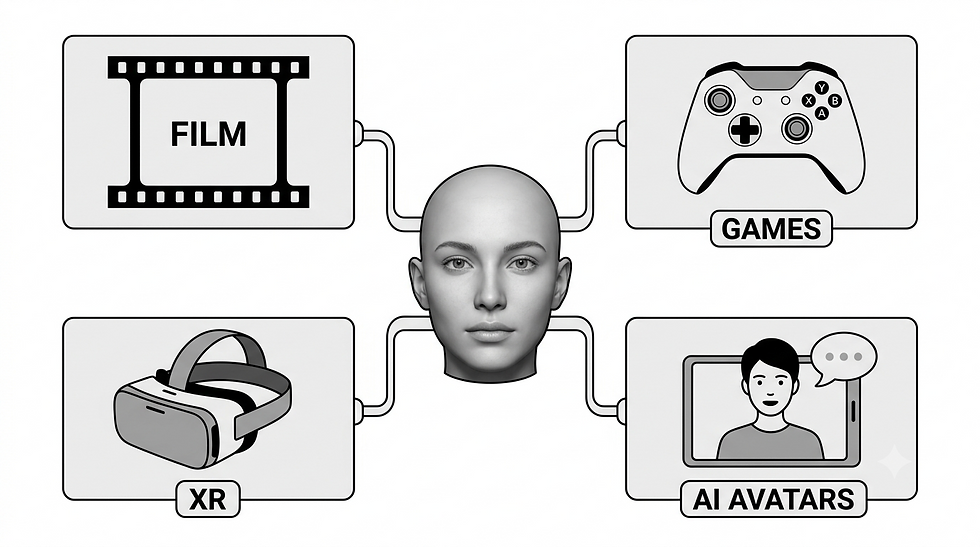
Different industries place different demands on facial animation.
Film and VFX may require extremely detailed facial performance that can survive close-up shots and cinematic lighting.
Games need expressive characters that run efficiently within real-time hardware limits.
XR and immersive experiences often place viewers close to digital characters, where poor facial behaviour becomes easy to notice.
Mimic's real-time integration connects character assets with interactive runtime environments.
AI avatars and conversational digital humans introduce another challenge: the performance may not exist in advance.
The character may generate a response dynamically and therefore needs to coordinate speech, lip sync, gaze, facial expression, blinking, and listening behaviour immediately.
Mimic's AI avatar production combines digital character creation with these responsive systems.
What Makes a Digital Face Production Ready?

A production-ready facial pipeline connects character creation, rigging, capture, animation, and final delivery.
Before release, teams should test:
Neutral facial structure
Expression range
Lip closure
Jaw movement
Eye rotation
Blinking
Eyelid contact
Expression combinations
Speech animation
Wrinkle activation
Close-up deformation
Runtime performance
Characters should also be tested under different lighting conditions because highlights and shadows can reveal deformation problems that are difficult to see under soft frontal lighting.
Real-time characters need additional testing inside the final engine to check animation compression, shaders, level-of-detail systems, export settings, and performance.
Frequently Asked Questions
What is facial animation?
Facial animation creates expressions, speech movement, eye behaviour, and other facial actions on a digital character. Productions can use keyframe animation, facial rigs, blendshapes, motion capture, procedural systems, or a combination of these methods.
What is the difference between facial animation and facial motion capture?
What are blendshapes?
Does facial motion capture automatically create finished animation?
Can facial animation run in real time?
Can AI generate facial animation?
Conclusion
Facial animation combines human performance with digital character engineering.
A convincing result depends on more than facial motion capture alone. Character topology, expression design, blendshapes, facial rigging, solving, retargeting, eye behaviour, lip sync, animator refinement, skin deformation, and rendering all contribute to how the final performance feels.
Capture preserves valuable information from an actor. Solving interprets it. Retargeting adapts it to the character. Animators refine the result.
For real-time digital humans, games, XR experiences, and AI avatars, many of these processes must happen much faster, but the objective remains the same: the digital face needs to communicate clear and believable intntion.
For inquiries, please contact: Press Department, Mimic Productions info@mimicproductions.com


Comments